
LAX Airport WiFi – Free Internet Access and Services
Staying connected while traveling is easy with LAX Airport WiFi. With access to such high-speed internet connectivity, flyers can check flight updates, attend virtual meetings, stream entertainment, and connect with their family or loved ones. The Los Angeles International Airport’s WiFi is available free of cost throughout the terminals for the ease of travelers. Available across all passenger areas, LAX Wireless Internet allows them to browse, email, and use messaging applications.
About the Los Angeles International Airport WiFi Services
The WiFi at LAX Airport is highly convenient for passengers to stay connected while traveling. The LAX Airport WiFi service is available across all passenger terminals and supports various devices, allowing flyers to browse, communicate, and manage their travel needs easily.
| Feature | Details |
| WiFi Service | Free LAX WiFi |
| Official Network Name | _LAX Free WiFi |
| Services Charges | Free |
| Coverage | Passenger terminals |
| Gates | |
| Public Areas | |
| Lounges | |
| Luggage Claim Areas | |
| Registration Required | Not required |
| Login Process | Connect to the network |
| Accept the terms | |
| Time Limit | Unlimited browsing session |
| Device Support | Smartphones |
| Other WiFi-enabled devices | |
| Laptops | |
| Tablets | |
| Availability | 24 hours a day |
Does LAX Airport Have Free WiFi?
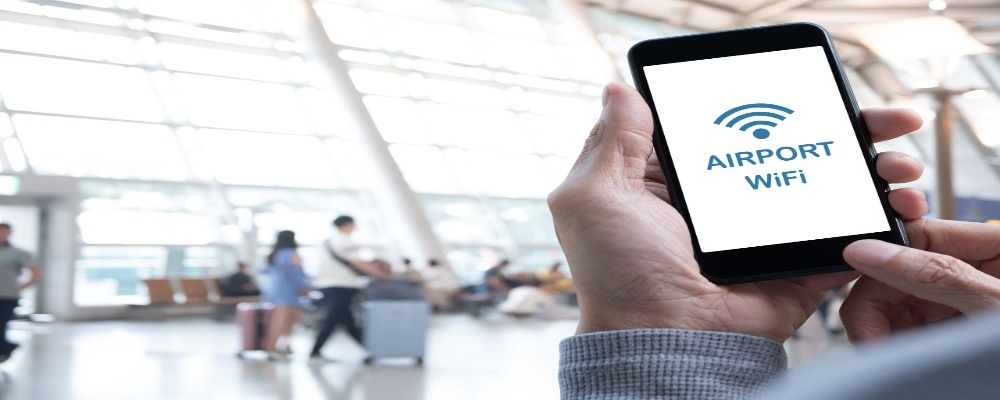
Indeed, travelers traveling to and from the Los Angeles International Airport can enjoy complimentary WiFi throughout the public areas of all passenger terminals. This is what makes it easy for flyers to stay connected and access required online facilities during their journey. Thus, to use the WiFi at LAX, simply connect to the official “_LAX Free WiFi” network and take advantage of internet access for browsing, emailing, messaging, and more.
However, users may need to watch a brief advertisement or short video, typically of 15–30 seconds, before accessing the Free LAX WiFi service. Once done, they can continue using the internet facilities without paying any additional cost while being at the airport.
Steps to Connect to the Complimentary Internet at LAX
Connecting to the free WiFi Los Angeles Airport is simple. All required is that travelers at Los Angeles International Airport follow the given steps:
- Turn off Airplane Mode or enable WiFi
- Open the WiFi settings of your device
- Set the wireless internet network to _LAX Free WiFi
- Now, launch a web browser on the device
- Select Free Unlimited Wi-Fi to begin your session
- Watch a 30-second advertisement, and it’s done.
WiFi Availability Across Los Angeles Airport
The airport is equipped with different wireless access points to provide reliable coverage across indoor passenger spaces. Flyers can easily access the free LAX WiFi throughout the premises, including:
- All passenger terminals
- Departure gates
- Arrival and baggage claim areas
- Ticketing halls
- Los Angeles International Airport lounges
- Restaurants and cafés
- Shopping zones
- Public seating areas
Services to Access with LAX Airport WiFi
With the Los Angeles Airport WiFi, travelers can stay connected for work, entertainment, and essential travel tasks throughout their time at the airport. From flight status to accessing social media, they can access a wide range of services for their ease.
| Activity | Suitable for Free WiFi |
| Check flight status | Yes |
| Browse websites | Yes |
| Send emails | Yes |
| Video calls | Yes (depending on network traffic) |
| Social media | Yes |
| Online banking | Yes (use secure websites) |
| Streaming videos | Supported, though speeds may vary during busy periods |
| Download travel documents | Yes |
Tips for Using LAX Airport Free WiFi
Travelers can make their overall experience better while using the internet services at the Los Angeles Airport with the following tips. Some of these are:
- Connect only to the official “_LAX Free WiFi” network.
- Do not share sensitive personal information on public networks.
- Use HTTPS-enabled websites whenever possible.
- Consider using a VPN for additional privacy.
- Keep the device software updated before traveling.
Wrap Up!
LAX International Airport WiFi makes waiting at the airport seamless! For a departure, meeting arriving passengers, or working between flights, the WiFi system provides convenient internet access throughout the airport. With complimentary internet access available within the premises, flyers can stay connected for work, entertainment, and travel updates without incurring additional costs.
Travel FAQs
Yes, free Wi-Fi is available within the premises, offering unlimited 45-minute sessions after viewing a brief advertisement or a 15–30-second video.
First of all, connect to _LAX Free WiFi, open a non-secure webpage to trigger the login portal, or reconnect. Free sessions last 45 minutes.
To connect, simply disable airplane mode, connect to “_LAX Free WiFi,” open the login page, select free access, watch the advertisement, accept terms, and browse.
No, travelers can access LAX Airport WiFi for unlimited browsing sessions while connected to the complimentary network.
No registration or account creation is typically required; simply connect to “_LAX Free WiFi”, accept the terms, and begin using the service.
Yes, smartphones, laptops, tablets, and other WiFi-enabled devices can all connect to the Los Angeles Airport wireless network.
Latest Pages

LAX Airport Security Wait Times

Hertz Car Rental LAX Airport – Pick-Up and Drop-Off Services

Thrifty Car Rental LAX Airport – Prices, Hours, and Vehicle Options

Royal Air Maroc LAX Terminal- Los Angeles International Airport
Southern Airways Express LAX Terminal- Los Angeles International Airport

Payless Car Rental LAX Airport – Pick-Up, Return
Enterprise Car Rental LAX Airport – Booking Procedure, Vehicle Options
TAP Air Portugal LAX Terminal- Los Angeles International Airport

Avis Car Rental LAX Airport – Location, Services
Alamo Car Rental LAX Airport – Pick-Up and Return